

Bedtime Now

Aussi disponible en québécois.
It is 22:05. The curfew argument has been lost — or technically won, just not observed. Dodo maintenant (bedtime now) is the button for this exact moment: it ends the evening on the spot instead of waiting for the schedule to get around to it.
One child: Dodo maintenant
Section titled “One child: Dodo maintenant”Every child’s card on the Home screen (Accueil) carries its own Dodo maintenant button, right under the +15 / +30 / Devoirs row.
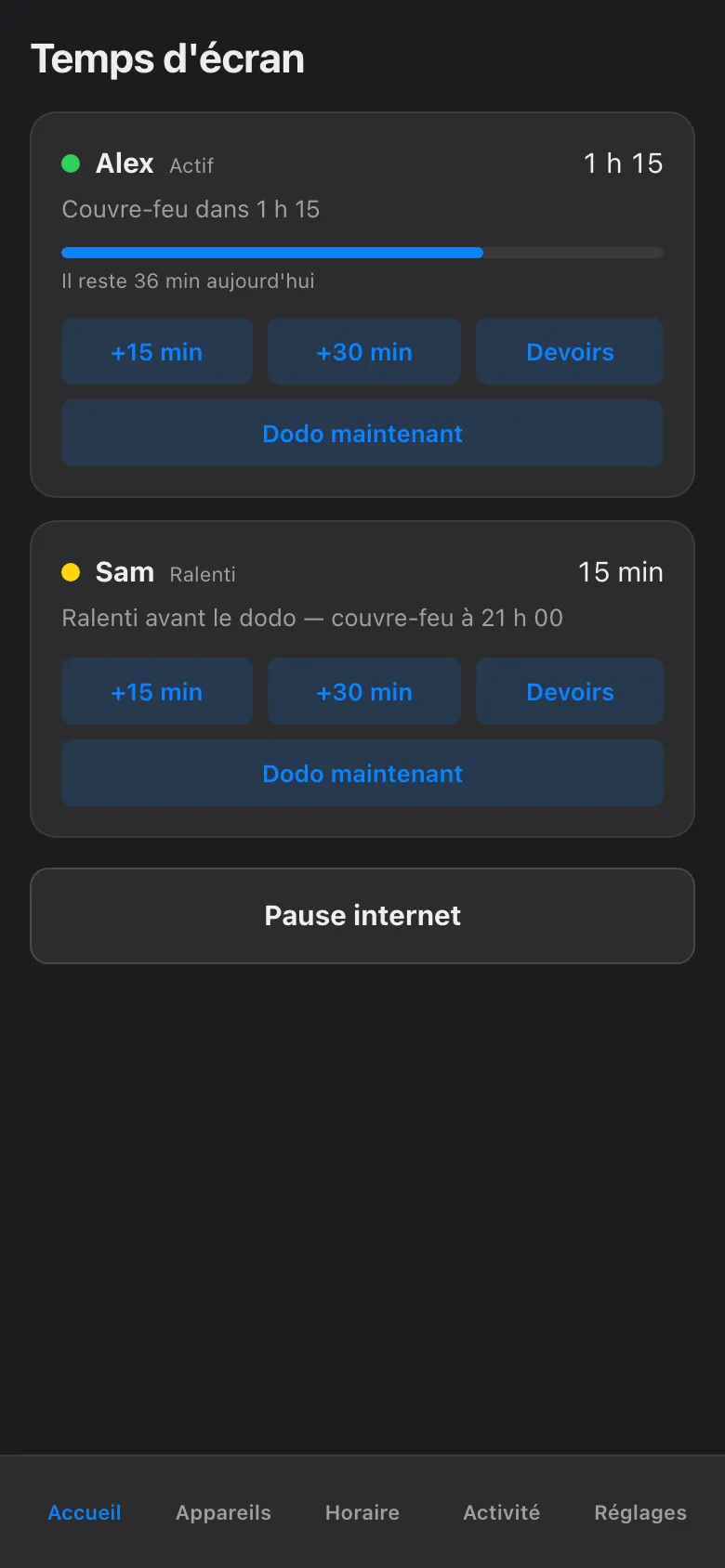
Tap it and that child’s night starts now. It is a pause like any other — every pause needs a who and a how long — but this button answers both questions for you: the who is that card’s child, and the how long is jusqu’au réveil, until their next wake time, which is the longest any block can be. Every screen that child uses — phone, PC, console, the shared TV — goes down together. The other child’s evening is untouched, and parents’ devices are never on the list at all.
The whole haus at once
Section titled “The whole haus at once”When it is everyone’s bedtime, skip the per-card buttons and use the big Pause internet button at the bottom of the same screen.
-
Tap Pause internet.
-
Under Pour qui?, choose Tous les enfants.
-
Under Pour combien de temps?, choose Jusqu’au réveil. A duration is always required — Souper 1 h and Personnalisé are the other options, and there is deliberately no “forever”.
-
Tap Mettre en pause.
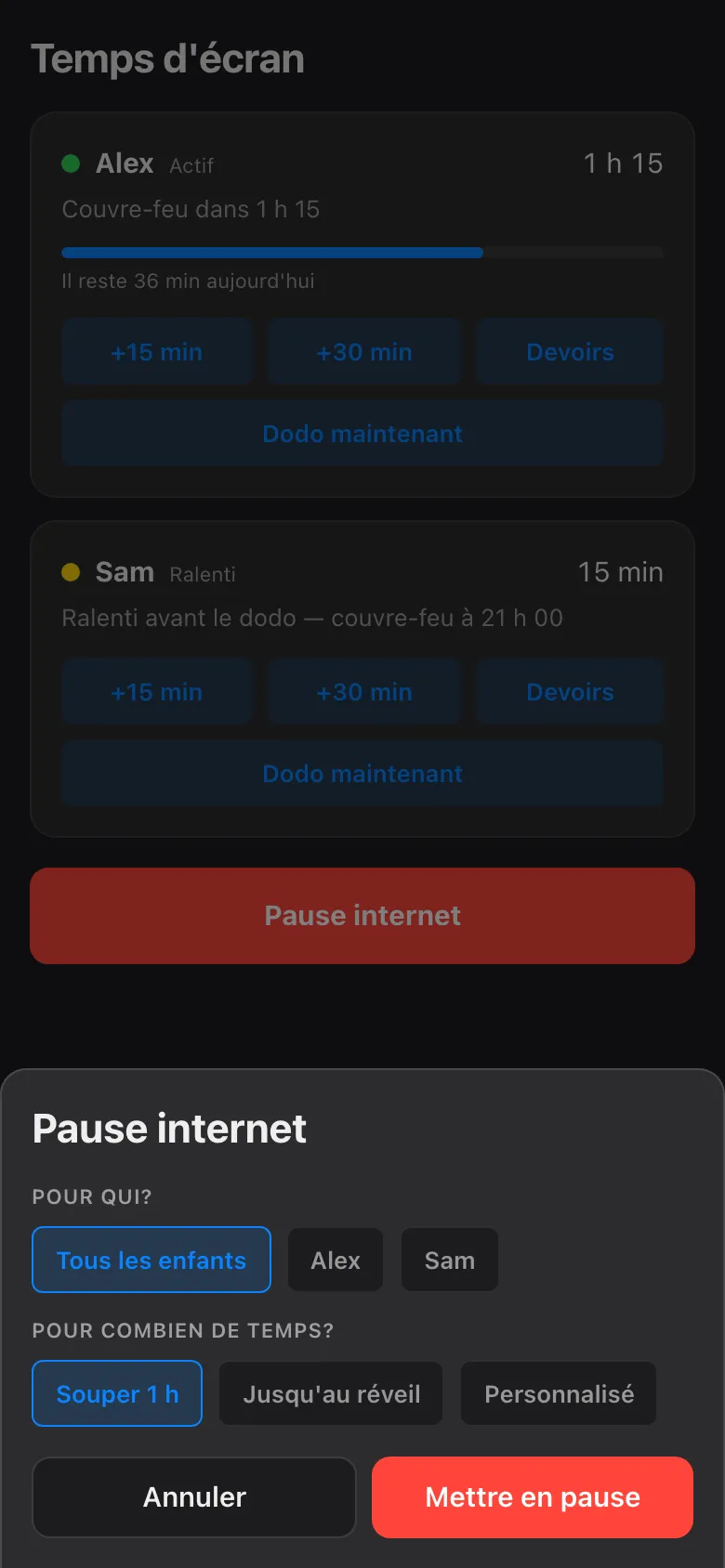
Each child is released at their own wake time, so an early riser is not held hostage by a sibling who sleeps in.
What the kids’ screens actually do
Section titled “What the kids’ screens actually do”Worth knowing before the first protest reaches your bedroom door. The block is enforced at the network, not by reaching into the device, so:
- The screen does not go black. Nothing shuts down, nothing is deleted, no game save is lost. The device is fine; the internet has simply stopped answering it.
- Online things stop. Streams stall, online matches drop back to their menus, pages stop loading. Anything that needs the network is over for the night.
- The app can tell you why. Open the device’s card while a block is active and the hold is spelled out: what is blocked, who blocked it, and exactly when it ends. Every hold shows its owner and its expiry — no mystery outages, and no “the Wi-Fi is broken” debates.
- Confirmed, not assumed. A card only says bloqué once the network box has confirmed the block on that device. If a device does not comply, its card turns red and says so in plain words — it never shows you a fake green.
And in the morning
Section titled “And in the morning”Nothing to remember, nothing to undo. A manual block expires on its own at the child’s next wake time by default — nothing blocks forever. The morning unblocks the screens the same way it unblocks the child.
If something genuinely cannot wait until then — a homework file left in the cloud, a call that has to happen — an override can punch a temporary hole through the pause. That lives on the More Time page and is capped at 120 minutes, so tonight’s exception cannot quietly become tomorrow’s rule.
The button handles the screens. The glass of water, the second glass of water, and the sudden bedtime interest in philosophy remain out of scope.