

instance.yaml Reference
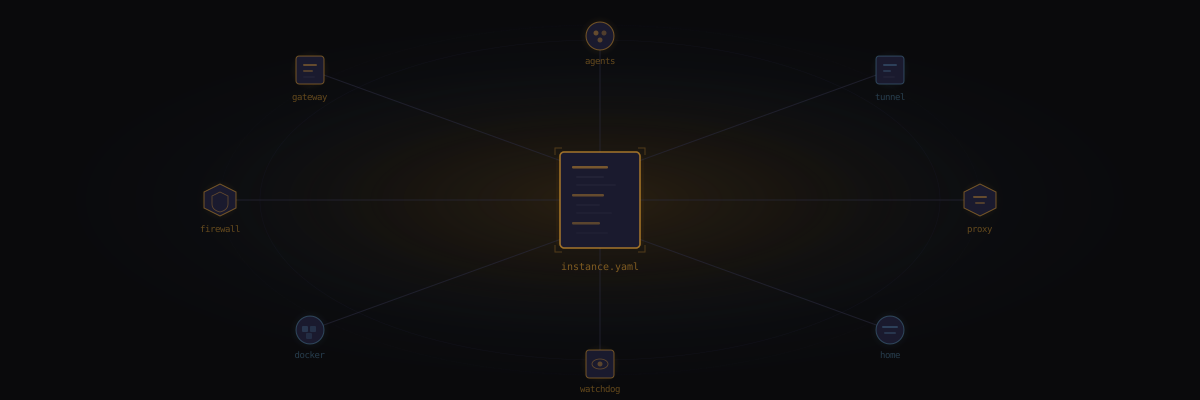
The central configuration file for a Sanctum instance lives at ~/.sanctum/instance.yaml. Every instance-specific value is defined here — services, networking, paths, family members, node topology, and secrets references.
One file. Everything your house knows about itself is in this file. The name, the network layout, which services run, who lives there. If this file is wrong, everything downstream is wrong. If this file is right, everything downstream has a fighting chance.
A JSON cache is auto-regenerated at ~/.sanctum/.instance.json whenever the YAML changes, via lib/yaml2json.py.
Minimal Example
Section titled “Minimal Example”The absolute minimum to get Sanctum to acknowledge your existence:
instance:  slug: manoir-nepveu  name: Manoir Nepveu  timezone: America/Montreal
users:  mac: bert  vm: ubuntu
network:  vm_ip: 10.10.10.10  mac_bridge_ip: 10.10.10.1  bridge_interface: bridge100  vm_ssh_alias: openclaw  lan_ip: 192.168.1.10
instance
Section titled “instance”Top-level identity for this Sanctum deployment. Who you are. Where you are. When you are.
| Key | Type | Required | Description |
|---|---|---|---|
slug | string | Yes | URL-safe identifier used in hostnames, paths, and DNS. Example: manoir-nepveu |
name | string | Yes | Human-readable display name. Example: Manoir Nepveu |
timezone | string | Yes | IANA timezone for scheduling and logs. Example: America/Montreal |
instance: slug: manoir-nepveu name: Manoir Nepveu timezone: America/MontrealOS-level usernames on the Mac host and the VM. Unglamorous but load-bearing — every SSH command, every file path, every LaunchAgent plist has one of these baked in. Get them wrong and nothing errors cleanly; things just silently don’t work, which is worse.
| Key | Type | Required | Description |
|---|---|---|---|
mac | string | Yes | macOS username on the host machine |
vm | string | Yes | Linux username inside the VM |
users: mac: bert vm: ubuntunetwork
Section titled “network”The plumbing. Nobody admires plumbing until it breaks, and then it’s the only thing anyone can talk about. This section defines how the Mac, the VM, and the LAN find each other — a tiny private internet inside your house, inside your actual internet.
| Key | Type | Required | Description |
|---|---|---|---|
vm_ip | string | Yes | Static IP of the VM on the host-only network |
mac_bridge_ip | string | Yes | Mac-side IP on the bridge interface |
bridge_interface | string | Yes | macOS bridge interface name (e.g., bridge100) |
vm_ssh_alias | string | Yes | SSH config alias for the VM (e.g., openclaw) |
lan_ip | string | Yes | Mac Mini IP on the local network |
network: vm_ip: 10.10.10.10 mac_bridge_ip: 10.10.10.1 bridge_interface: bridge100 vm_ssh_alias: openclaw lan_ip: 192.168.1.10Where things live on disk. Every backup script, every log rotation, every skill loader reads from this section. Think of it as the house’s filing cabinet — except the filing cabinet is also load-bearing, so don’t move it.
| Key | Type | Required | Description |
|---|---|---|---|
openclaw_config | string | Yes | Agent config directory. Default: ~/.openclaw |
openclaw_skills | string | Yes | Shared skills repo checkout |
logs | string | Yes | Centralized log directory |
projects | string | Yes | Projects root (Mac side) |
backups | string | Yes | Backup destination directory |
paths: openclaw_config: /Users/bert/.openclaw openclaw_skills: /Users/bert/Projects/openclaw-skills logs: /Users/bert/.sanctum/logs projects: /Users/bert/Projects backups: /Users/bert/.sanctum/backupsservices
Section titled “services”Here’s where it gets real. Every service your house runs — the agent gateway, the voice engine, the home automation hub, the offline library — each one gets an enabled boolean and, if it listens on a port, a port key. Flip the boolean, regenerate plists, and the service appears or vanishes. Configuration as incantation.
The enabled flag controls whether generate-plists.sh renders and loads the corresponding LaunchAgent. A disabled service isn’t just stopped — it’s unloaded. It doesn’t exist until you say it does.
Service Table
Section titled “Service Table”| Service | Key | Default Port(s) | Description |
|---|---|---|---|
| Gateway | gateway | 1977 | OpenClaw/DenchClaw agent gateway |
| Home Assistant | home_assistant | 8123 | Home automation hub (Docker) |
| Dashboard | dashboard | 1111, 1111 | Command center web UI |
| Firewalla Bridge | firewalla | 1984 | Firewalla P2P bridge |
| VM | vm | — | UTM virtual machine |
| Voice Agent | voice_agent | — | Yoda voice interaction agent |
| XTTS | xtts | — | Text-to-speech server |
| MLX Server | mlx_server | — | Council MLX model server |
| Cloudflare Tunnel | cloudflare | — | Cloudflare Zero Trust tunnel |
| iCloud Filer | icloud_filer | — | Automatic iCloud filing daemon |
| Health Center | health_center | — | Health monitoring dashboard |
| Tailscale | tailscale | — | Mesh VPN |
| LM Studio | lmstudio | 1234 | Local LLM inference server |
| Watchdog | watchdog | — | Service health monitoring |
| Kiwix | kiwix | 8888 | Offline library server |
| Signal Bridge | signal_bridge | — | Signal messaging bridge |
| Sanctum Proxy | proxy | 4040 | LLM routing proxy |
Seventeen services. On a Mac Mini. Under a desk. In Quebec. Running a household.
Full Example
Section titled “Full Example”services: gateway: enabled: true port: 1977
home_assistant: enabled: true port: 8123
dashboard: enabled: true port: 1111 dev_port: 1111
firewalla: enabled: true port: 1984
vm: enabled: true
voice_agent: enabled: true
xtts: enabled: true
mlx_server: enabled: true
cloudflare: enabled: true
icloud_filer: enabled: true
health_center: enabled: true
tailscale: enabled: true
lmstudio: enabled: true port: 1234
watchdog: enabled: true
kiwix: enabled: true port: 8888
signal_bridge: enabled: false
proxy: enabled: true port: 4040Checking Service Status
Section titled “Checking Service Status”From the shell library:
source ~/.sanctum/lib/config.sh
if sanctum_enabled services.gateway; then  echo "Gateway is enabled on port $(sanctum_get services.gateway.port)"fi
From TypeScript:
import { isEnabled, get } from './lib/config';
if (isEnabled('services.gateway')) {  const port = get('services.gateway.port');}
secrets
Section titled “secrets”The only section of this file that’s about what isn’t here. Sanctum never stores secrets in instance.yaml directly — the config tells you where secrets live, not what they are. A treasure map that says “the chest is buried under the oak tree” without ever containing the treasure. Three secret stores, three levels of paranoia, all of them justified.
| Key | Type | Description |
|---|---|---|
keychain_account | string | macOS Keychain account name for stored tokens |
onepassword_vault | string | 1Password vault name for credentials |
sops_file | string | Path to SOPS-encrypted secrets file on the VM |
secrets: keychain_account: sanctum onepassword_vault: Sanctum sops_file: /home/ubuntu/.openclaw/secrets.enc.yamlhome_assistant
Section titled “home_assistant”Where the smart home meets reality. This section doesn’t configure Home Assistant itself — that’s configuration.yaml’s job. This section tells Sanctum what HA needs to know about the physical world: which speakers exist, which cameras are watching, which thermostat controls which zone. The kind of inventory you never think to write down until the third time you troubleshoot from memory.
| Key | Type | Description |
|---|---|---|
sonos_speakers | list | Known Sonos speaker IPs (required for bridge networking) |
cameras | list | Camera integration entries |
hvac | map | HVAC zone definitions |
home_assistant:  sonos_speakers:    - 192.168.1.101    - 192.168.1.102    - 192.168.1.103    - 192.168.1.104    - 192.168.1.105    - 192.168.1.106    - 192.168.1.107    - 192.168.1.108    - 192.168.1.109    - 192.168.1.110
  cameras:    - name: front_door      type: blink
hvac: main_floor: type: ecobeefamily
Section titled “family”Your house should know who lives in it. This section defines family members for agent personalization and access control — who gets greeted by name, who can ask the agents for things, who the system considers a stranger. It’s a short list with outsized consequences.
| Key | Type | Description |
|---|---|---|
members | list | List of family member objects |
members[].name | string | Display name |
members[].role | string | Role within the household |
family: members: - name: Bertrand role: admin - name: Partner role: memberMulti-site node topology. Each node represents a physical location running Sanctum infrastructure. Because one house wasn’t enough — you needed a distributed system. The hub runs everything; satellites run what they can; mobile devices check in when they feel like it. It’s federation for people who own property in more than one postal code.
| Key | Type | Description |
|---|---|---|
<node_id> | map | Node identifier (e.g., manoir, chalet) |
.type | string | Node type: hub, satellite, mobile, or sensor |
.host | string | LAN hostname or IP |
.tailscale_ip | string | Tailscale mesh IP |
.tailscale_name | string | Tailscale device name |
.user | string | SSH username on this node |
.services | map | Per-node service overrides (enabled flags) |
nodes:  manoir:    type: hub    host: 192.168.1.10    tailscale_ip: 100.112.178.25    tailscale_name: berts-mac-mini-m4-pro    user: bert    services:      gateway:        enabled: true      home_assistant:        enabled: true      vm:        enabled: true
  chalet:    type: satellite    host: chalet.local    tailscale_ip: 100.112.203.32    tailscale_name: berts-mac-mini-chalet    user: bert    services:      gateway:        enabled: true      home_assistant:        enabled: true      vm:        enabled: false
Node Types
Section titled “Node Types”| Type | Description |
|---|---|
hub | Primary site with full infrastructure (VM, all services) |
satellite | Secondary site with reduced stack (no VM, lighter services) |
mobile | Laptop or portable device |
sensor | Headless monitoring device |
The satellite knows it’s not the hub. It doesn’t try to be. It runs what it needs, phones home over Tailscale, and keeps the lights on when the internet goes out. Self-aware infrastructure is underrated.
Example Config File
Section titled “Example Config File”An annotated example is available at ~/.sanctum/instance.yaml.example and can be used as a starting point for new instances.
JSON Cache
Section titled “JSON Cache”The YAML config is automatically converted to a flat JSON cache at ~/.sanctum/.instance.json. This cache is used by the shell and TypeScript libraries for fast key lookups. If you edit instance.yaml manually, regenerate the cache:
python3 ~/.sanctum/lib/yaml2json.py